Showing posts with label following directions. Show all posts

Friday, August 2, 2013

School of Multi-Step Directions {app review & giveaway}

The developers over at Virtual Speech Center, Inc. have released another speech therapy app. School of Multi-Step Directions is developed for elementary and older students working on 2-4 step directions. VSC provided a copy of this app for review, but the opinions below are just mine!


In setting you can choose randomization, enable audio and adjust rewards.


It's important to note that background noise can be added in different levels here for Figure Ground practice. The background noise practice makes this app very appropriate for children with auditory processing disorders.


To start, add your students information and click on one of the classrooms.


Each classroom features different kinds of multi-step direction activities in the theme of the given classroom. Read the details from the developer below:
  • English classroom: 2-step, 3-step and 4-step of unrelated directions with multiple levels of difficulty. Stimuli include: pictures, letters, and written words with color, size, and temporal concepts. For example, “Underline the red letter A and erase the blue letter C.”
  • Math classroom: 2-step, 3-step and 4-step of unrelated directions with multiple levels of difficulty. Stimuli include: shapes, number, concepts, size, color, odd, even, bigger than, and smaller than. For example, “If 10 is bigger than 9, highlight 4 and underline 6, if not, cross out 2 and touch 1.”
  • Chemistry Lab: 2-step, 3-step and 4-step unrelated directions with multiple levels of difficulty. Children will have fun “making experiments.” For example, “Set the temperature to cold, shake the flask, and add water to the cup.”

Choose different levels and learning objectives for each student. I especially loved the chemistry set! The tools in this set allow you to set temperature to hot or cold, mix, or shake.


When shown the game screen children will be read the direction prompt. There are 4 different tools at the bottom of the page. Use the pencil to underline, the X to cross out, the highlighter to highlight and the eraser to erase!

Many of the skills are really hard. For example a 2 step conditional directions with numbers and even/odd number says: If 10 is an even number, underline 3 and cross out 2. If not highlight 2 and erase 9. That's a lot for ME to recall!

Data collection is seen in the top corners of the page. You can also repeat the verbal prompt.
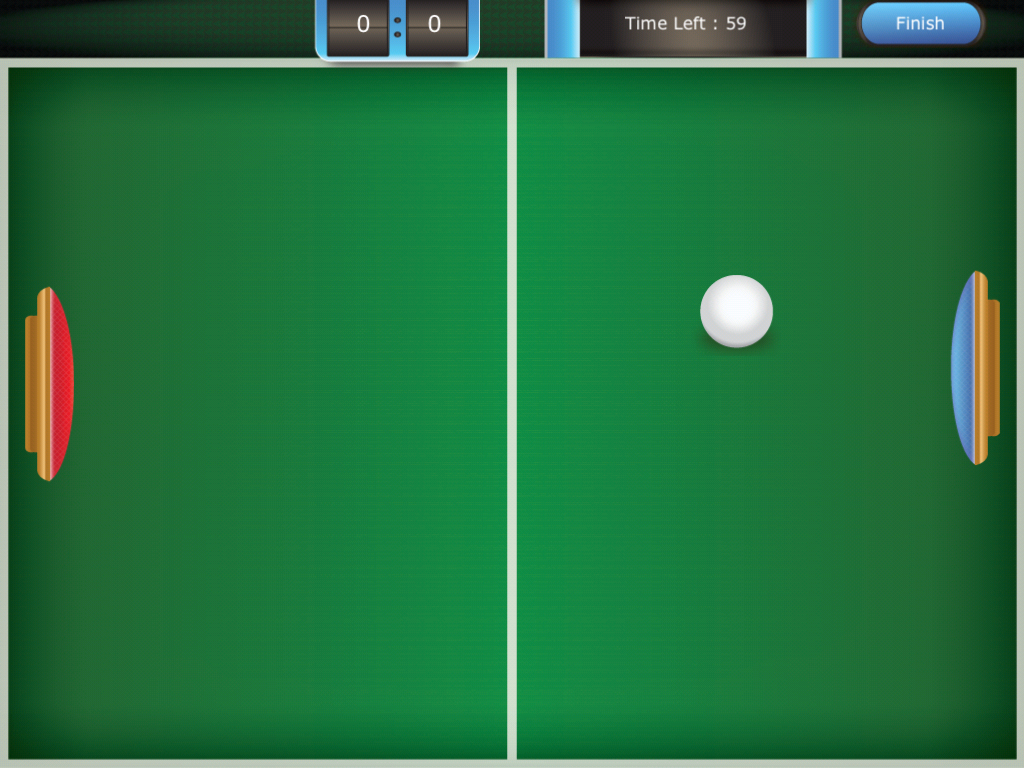

The app includes a ping pong game as part of recess.


The app's data collection is on par for data collection apps.

Check out this full video description for more details. 


The app is listed for sale in the itunes store for $18.99. But one lucky reader can have a free copy by entering in the rafflecopter giveaway listed below!


a Rafflecopter giveaway

Thursday, March 28, 2013

Ring Bling {product review}

We've been blinged out in my speech room for a bit now. I thought it was high time I shared this bling with you! No, no big rubies on this SLP budget, just Super Duper's new game  Ring Bling. 


In a nutshell, ring bling is a game for collecting rings! Each student (up to 4, with the option to buy extra hands). 


There are several suggested ways to play, but in the most direct game, students spin the included spinner and collect rings that feature gems, dinosaurs and sports. 


Gathering 'things' is always motivating and these ringers were no different! 


The game features 50 following directions cards including one step, temporal and conditional. The game includes 50 rings and 4 hands. 

Pros: I cant believe how much the kids love it! I have used it with kids ages 3-8. The girls and boys alike love it! It's a wonderful reinforcer for any speech and language learning target. 

Cons: 50 following directions is pretty wimpy. My group of 2 preschoolers ran through them in a single game. I wish the game came with lots of card options (like Granny's Candies). I also already had a ring break in the first week. Hopefully the rest of them hold up! 


You can find Ring Bling current listed for $29.99 at Super Duper. Have you given it a try?

Disclosure Statement: Super Duper provided me with a copy of this product for review.

Wednesday, March 6, 2013

Social Problem Solving {App Review Roundup}

 Have you been keeping up as Super Duper Pub. publishes their Fun Decks as apps? I went through my list to see which ones I didn't have yet, and noticed I was missing many of the social problem solving apps! The apps reviewed here are a combination of WH question and problem solving apps. I even threw in a following directions activity because it works on some of the same receptive language skills!


SD has added more and more features in its recent updates. Most notably: the ability to keep data after a game is ended.


What Would You Do At School If....


(2.99) This card deck includes 56 illustrated picture flash cards. Each card presents a scenario. The student must answer what he/she would do in these situations! Cards include, "What would you do if you needed to go to the bathroom during a test? and What would you do if during class, a friend wanted you to pass notes for him?"


What Would You Do At Home if...


(2.99) This card deck includes 56 question probes. Students are presented with social situations and make decisions about how to handle situations that would happen in the home.


Following Directions


($2.99) This activity features 52 cards, with single step directions. This app is perfect for young students. If you combine multiple cards you can add temporal concepts and multi-step directions.


(2.99) Includes 56 cards and the ability to track data. A variety of school based questions are included (Who is your principal? When does school dismiss?) 


WH Questions at Home


($2.99) The 56 cards in this app target WH questions that include household topics. Each student looks at an illustration on the screen and either reads the prompt or touches the screen to listen to the prompt. The student gives a verbal response. The clinician then taps the green or red button to score the student's verbal response.

The bottom line...

Pros: The new data collection is much more up to par with other SLP apps. I think the price is unbeatable for valuable clinic tools. Having everything on the ipad just make life easier to travel, even down the hall!


Cons: I wish the decks included NEW cards, not just repeats of the tangible product. It's an opportunity for updates materials that my students haven't already seen.

Disclosure statement: Super Duper provided copies of the included apps for review. No other compensation was provided.


Sunday, June 17, 2012

Ice Cream Conditional Directions

 Can it already be the middle of June?! Hopefully you are using this time for some relaxation! I am spending a lot of time relaxing, but spent some time this week to make you a new download! 


This game provides a fun way to practice following conditional directions. Students draw a card that gives a direction. If they complete the action correctly, they keep their card on the truck. 


If they draw a sun card, they must give all their snacks back!


The conditional directions included are all one step. I've also included blank cards so that you can customize it!


ENJOY! Grab the Freebie over at my TPT Store!


Thursday, May 3, 2012

Auditory Workout App Review

Auditory Workout is a new app from Virtual Speech Center, released April 2012. The app is developed for students with receptive language impairments and auditory processing disorders. While the basis for each of these disorders is different - the symptoms are very similar.  Understanding and completing multi-step directions is a key skill often targeting in therapy. The app is intended for children age 4-10, but depending on your student's cognitive abilities, could also be used for children in older grades.


The app includes hundreds of audio instructions and a feature that allows users to set background noise (classroom noise). Yes, I said background noise! This feature is so important for children with APD.  Children are welcomed by the basketball coach, who encourages them to work hard. Children earn a basketball for each correct response, and when they accumulate enough balls, they are rewarded with a game (a game of catch for younger children or/and basketball for older children).


Auditory Workout allows children to follow increasingly longer and more complex directions and includes more than 13 levels of difficulty. The directions are divided into four categories:
- Basic Directions- Quantitative and Spatial directions- Temporal directions - Conditional Directions


This is an app I have been needing for many of my students. Following directions is a tedious goal to work on session after session, but my students have been loving this app!  It allows you to select various levels of difficulty that are appropriate for your clients. The game lets you select multiple clients at one time that cycle through with the name of the child on the top of the screen. Each child can work on different goals throughout the game and you can select multiple learning targets  for each child. Data reports are available at the end of sessions.


The app allows the user to repeat the directions as many times as necessary before making a selection. The biggest change I would love to see with this app is to give the therapist the opportunity to repeat questions that students answer wrong. For 2 step directions the student selects their answers before entering 'go.' I found that I could stop them before they selected 'go' but that eliminates the data keeping from the app. I'd love if when they got the answer wrong, the screen allowed for a teaching moment. 

Overall I think therapists are going to find the app incredibly useful in therapy rooms across the country! Check it out in the itunes store today!

Monday, April 30, 2012

Under the Sea

Last month in preschool I read one of my favorites, There was an Old Lady Who Swallowed a Shell. We retold the story with pictures from Boardmaker and we made these great "fish tanks"!


My preschoolers and I had a great time making these little fish tanks! With 3 simple materials you can make them too! Don't worry I made 31 and not a single one leaked in a backpack!


In my head, this is what our tanks would look like. But in real life, adding the 'port hole' was too labor intensive and took away from the speech/language focus so I ditched it after the first kiddo :)


I used the Pictello App to make a picture story that my students could use! It helps if we can watch the video of each step. The picture above is a screen shot right before they played the movie with each step. Then as we made the tanks, we went step by step following directions.


The secret to these beauties is this awesome hair gel. The bubbles in it are perfect! I got mine at Wal-Mart for about a buck. You need one bottle for about 6-8 "tanks". You also need plastic sandwich bags and swedish fish!


The squeezing was their favorite part! This is one of my pictures from the Pictello instructions!


They all did really great following the app and adding their fish! We targeted concepts, following directions, articulation, sentence formation, and question generation!


Some other activities we did include this ocean magnet puzzle. It was really great for new vocabulary and multisyllabic words.


We also did our photo fish from Super Duper Inc. I have lots of friends working on those tricky velar sounds!

We had lots of fun. Any fish activities that you have done in your speech sessions?

Sunday, March 25, 2012

8 Easter Apps for the Speech Room

This month several people asked me for apps for St. Patrick's Day. I didn't have a single one to give them! But good news - there are a lot of free Easter apps and some are GREAT for our kids with speech or language impairments.


When I started looking for apps I found dozens. I download them all and picked through the best 8 that will work for a variety of treatment objectives and ages. Ready? Pull out your ipads and let's get to it!


Let's get started with this Easter Egg Hunt app (the free version). To find the eggs in this hunt - you have to answer a riddle. A really good skill for our language delayed kids! What I like best is that there are two levels of clues. The harder version is shown above, but the beginner version gives simple clues (ex: Find something that purrs.) The visual supports built in provide one level of scaffolding that can be enhanced with clinician verbal cues.


 The next great app is a throw back to 6th grade study hall. Did you ever play MASH with your friends? Well if you weren't a child of the 90's you can check out a description of it here. This is an Easter MASH game that I did with some kids. It's a great way to work on naming category members.


The next app is the only app I actually purchased! At 99 cents, Clicky Sticky Easter is a wonderful app and worth the buck! With this app you can target following directions, concepts, vocabulary, adjectives, verbs and sentence generation! (Just to name a few!) You can decorate eggs, fill Easter baskets and more!


One of my favorite fair games is Whack-A-Mole. This free app called Easter Eggstavaganza is full of fun games like this "Whack-An-Egg." This one will get your clients working hard during drill for a chance to play!  My articulation clients all loved it! Other games like matching and 'catch the egg' are also included in this app.


The next app is an Easter Spot the Difference activity. This is a great skill for visual discrimination and scanning, but for my students it was a great for getting the kids talking. After they found all 4 differences, I had them describe the differences and locations to me using positional concepts. (ie: Under the green rooster, the first picture has a flower but the second doesn't.) It's a great app for working on comparing and contrasting.


This app, called Dress Eggy HD, is an egg decorating app. I used it for following directions to decorate the egg, followed by students using adjectives to describe their fancy eggs.


The Color Me Easter! app is just what it sounds like! Color several Easter scenes. This app works great for preschoolers. I had them complete several language questions before they colored each portion.


The last free app I wanted to share with you is Bunny Fun: Head, Shoulders, Knees & Toes. This app features a cute little bunny singing a favorite song! Great for learning those early skills like body parts!
*Edit: The Bunny Fun app is now 99 cents - I must have grabbed it before the price increase!

What other apps have you seen that might target other objectives?

Thursday, February 23, 2012

Grab your shopping ads!

Many of my students this year have been working on auditory comprehension skills. They are working on listening to paragraphs and other short snippits of information, and then recalling the information, identifying key details, sequencing information and making inferences. As academic content becomes more difficult, many of my students with language disorders have difficulty with these auditory comprehension skills, impacting their success in the classroom.

My students were getting pretty good at completing these questions with my standard short stories and follow up questions. This week I decided to see how well they are transferring those skills!


This is where it's time to grab your Sunday paper ads! I had Target, Giant Eagle and Meijer.


I wrote this little short story up about a lady running errands. She had 3 days worth of activities to buy items for. The student's needed to listen to the activities, and then look through the ads and develop a shopping list. For example if Mrs. Baker needs to do the laundry, dishes and vacuum. She probably needs to make sure she has laundry detergent and dish soap. The kids had to recall the errands and chores and then make inferences about what she might need. It was a great activity to work on pulling out the key details presented.


To follow up we compared our shopping lists. Students worked on some social skills, such as persuasion  and negotiation to decide on a single list of appropriate items for the group.


This is the printable I used for each student. As always in my room. Activities need to be flexible for all different groups! Here are 5 more ways I used the ads:

1. Students searched for items with their articulation sound
2. Find items that fit into a category (ie: electronics, vegetables, etc.)
3. Find items with a certain attribute (ie: noisy, spicy, etc.)
4. Find two things you would like to buy. Compare and contrast them.
5. Find an item. Give your neighbor clues, until they guess what you have on your wish list!

Grab your printables here!
Story Example
Worksheet


What other ways can we use these ads? Thoughts?